如何在 Squarespace 中嵌入 Google Forms?
在 Google Forms 建立表單的 Squarespace 使用者,有兩種方式把它放上頁面。單純的連結會把訪客帶離您的網站。Google 的 Embed HTML 可以放進 Code Block,但表單會以 Google 的外觀待在固定方框裡,而且您只能變更寬度和高度。使用 Formfacade,您只要在 Code Block 貼上一段嵌入程式碼,表單就會顯示在您的頁面上,沒有 iframe,也沒有 Google 品牌標示。如果您希望它更貼近網站的樣子,把頁面傳給我們,我們的團隊會協助您。
以下是將 Google Forms 表單嵌入 Squarespace 的兩種方式,以及各自的不足之處。
Google Forms 的 Embed HTML
- 開啟您的 Google Forms 表單,點選右上角的 ⋮ More 圖示
- 選擇 Embed HTML 並複製 HTML 程式碼
- 在 Squarespace 編輯器中開啟頁面,新增 Code Block 並貼上程式碼
- 儲存並發布頁面
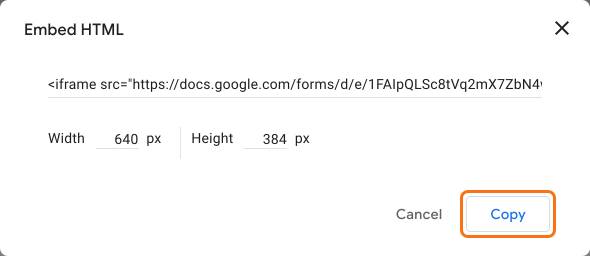
不足之處:您只能變更寬度和高度。表單會保留 Google 品牌標示和底部的說明。
Formfacade 嵌入程式碼
- 在開啟的頁面中為表單命名,點選 Embed form,再點選 Proceed。
- 在 Share 分頁的 Where do you want to embed this form? 下,選擇「Embed in my Squarespace site」並點選 Next。
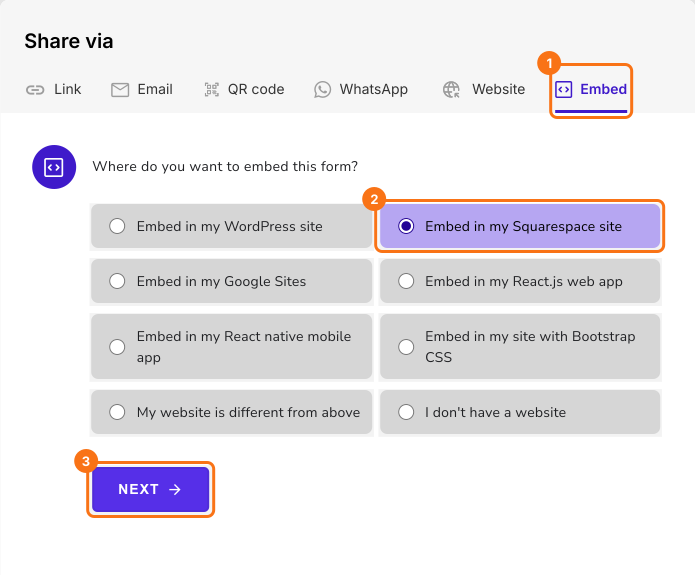
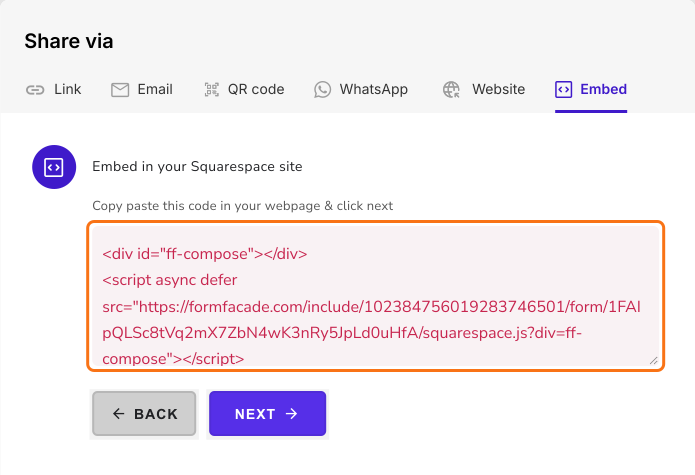
- 複製這段嵌入程式碼
- 在 Squarespace 編輯器中開啟頁面,新增 Code Block 並貼上嵌入程式碼
- 儲存並發布頁面
您的表單會顯示在頁面上,沒有 iframe,也沒有 Google 品牌標示。不足之處:免費方案會加上一個小小的 Formfacade 署名,要移除需要付費方案。
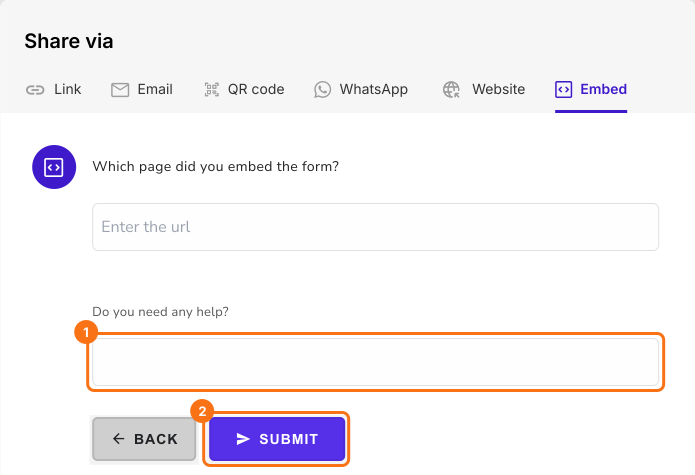
需要協助讓表單配合您的網站嗎?
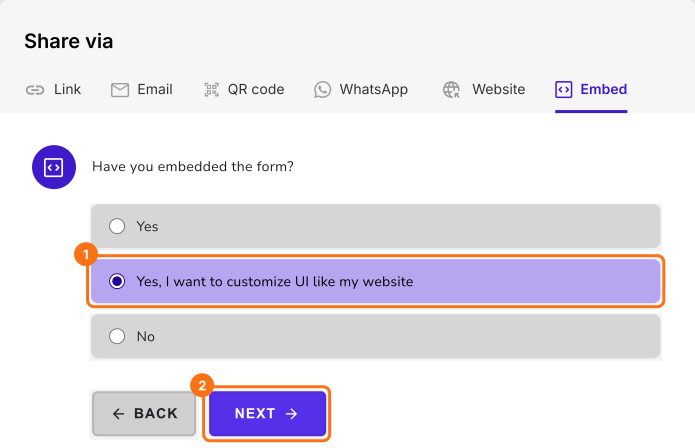
在嵌入程式碼畫面點選 Next,選擇「Yes, I want to customize UI like my website」,再點選 Next。
輸入您頁面的網址和訊息,然後點選 Submit。我們的團隊會與您聯繫,協助您處理需求。
摘要
最後更新: