How to accept UPI payments in Google Forms?
"Can Google attach Google pay and Google form"- Google Docs Editors Community
In India, people want to pay a fee with GPay, PhonePe or Paytm as soon as they fill your Google Form. Google Forms can show your UPI ID or a picture of your QR code, but it can't show the amount to pay or tell you who paid. So you ask for a transaction ID or a screenshot and check each one. With Neartail, people see the total when they submit and scan a QR code with any UPI app. The money goes from their UPI app to you, with no gateway charge.
Below are three ways to take UPI payments with a Google Form, and where each one falls short.
1. Add your UPI QR code to the form
In Google Forms, add your UPI QR code as an image and a short answer question for the UPI transaction ID. People still type the amount into their app themselves, and you check each transaction ID against your account.
2. Ask for a payment screenshot
Add a file upload question for a screenshot of the payment. Everyone then has to sign in with a Google account to fill the form, and you open each screenshot to check it.
3. Take UPI payments in the form with Neartail
Neartail adds a payment step to your Google Form. When people click Submit, they see the total and a QR code with the amount in it, pay from any UPI app and click Mark as Paid.
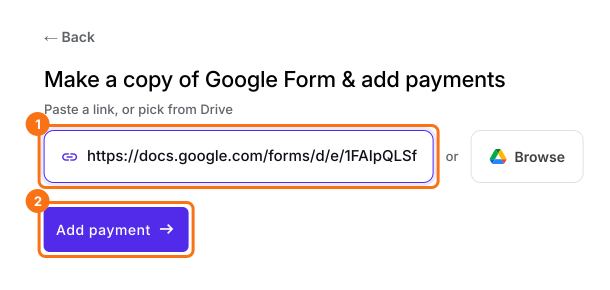
- Click Import your Google Form. On the page that opens, paste your Google Form's link or click Browse to pick it, then click Next.
- Select INR and click Next. UPI is listed only for forms in INR.
- When it says how many products it found, Neartail has made a product from each question with a price and added an order total and summary. If it says no products were found, add a price to any question.
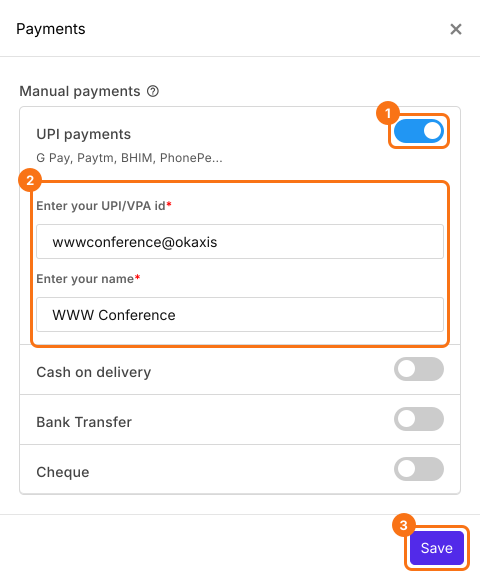
- Click Set up payments. The Payments panel opens beside the form.
- Under Manual payments, turn on UPI payments, enter your UPI ID and your name and click Save.
- Click Next. When it says "Your payment form is ready", click Preview your form. Your form opens in a new browser tab.
- On the import page, click Edit form under MANAGE. The editor opens on the Edit tab, in a new browser tab.
Check the amount
The amount people pay is the form's Order Amount, which adds up the products each person picks. To charge one fee to everyone instead, read How to collect a fixed amount.
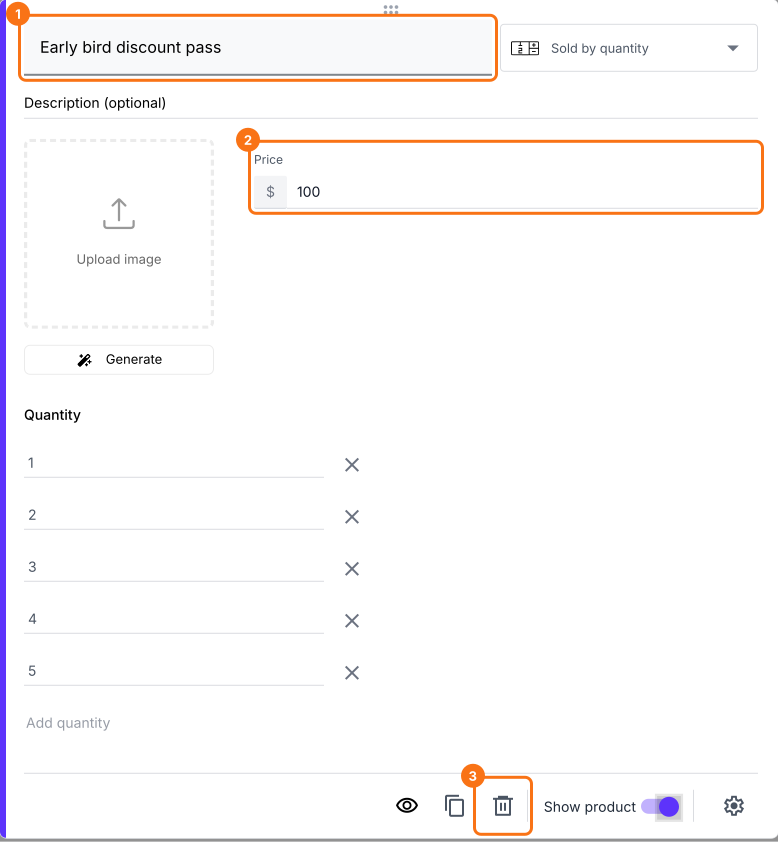
- Click a product card to change its title or price. To remove a product you don't sell, click the delete icon at the bottom of its card.
- Click Preview and submit the form to try it.

When someone clicks Submit, they see the Total Amount and a QR code. They scan it with GPay, PhonePe, Paytm or another UPI app to pay you and click Mark as Paid. If you turned on more than one way to pay, they choose one and click Proceed to payment first. To check each payment, read How to see who has paid in Google Forms?
Summary
Google Forms can't show the amount to pay or open a UPI app, so a UPI ID in the form leaves you checking transaction IDs and screenshots by hand. With Neartail, people see the total when they submit and pay it from any UPI app with a QR code. Import your Google Form and complete the steps above. If you have any questions, write to support.
Add UPI to your Google Form. Get paid from any UPI app.
Import your Google Form and turn on UPI payments with your UPI ID, so people scan a QR code with the amount and pay with no gateway charge.