How to sync responses to Google Sheets?
Orders that come in through a form are easier to sort, filter and share in a spreadsheet. Google Forms can link to a Google Sheet, but it gives you one row per response, so you still work out each order and its total yourself. With Neartail, you link your form to a new Google Sheet that splits each order into three tabs: Order Summary, Line Items and Order Details. Anyone on your team who is comfortable with Sheets can work from it.
Let's start. Import your Google Form and follow the steps below.
Link your form to a sheet
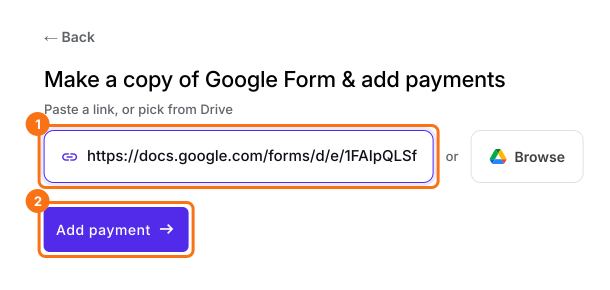
- On the page that opens, paste your Google Form's link or click Browse to pick it, then click Next.
- Select your currency and click Next.
- When it says how many products it found, Neartail has made a product from each question with a price and added an order total and summary. If it says no products were found, add a price to any question.
- Click Skip for now. When it says "Your payment form is ready", click Preview your form. Your form opens in a new browser tab.
- On the import page, click Edit form under MANAGE. The editor opens on the Edit tab, in a new browser tab.
- Click Orders.

- Click Google Sheets.
- Click Link to Sheets. When it asks "Create a Google Sheet with all your orders?", click Proceed.
- When it says "Your sheet is ready and syncing has started", click View sheets.

Your new sheet has the tabs Order Summary, Line Items and Order Details, and each new response is synced to it.
Summary
Reading orders one response at a time, or copying them into a sheet by hand, is slow. With Neartail, you link your form to a Google Sheet that keeps each order's summary, line items and details in their own tabs. Import your Google Form and complete the steps above. If you have any questions, write to support.
Sync your Google Form's orders to a Google Sheet.
Import your Google Form and click Link to Sheets under Orders, so each response syncs to a sheet with Order Summary, Line Items and Order Details tabs.