How to turn a PDF into a form people can sign?
"Want to use a pdf and have it automatically format into a google form"- Google Docs Editors Community
Your equipment loan form is a PDF. Staff have to fill it in and sign it before they take a laptop home, and new staff start on Monday. Emailing the PDF around means printing and scanning. Typing it into a new Google Form takes hours and it still has no signature question. With Formesign, you can upload your PDF and your staff fill it in as a form and sign it on their phone. You don't retype a thing: Formesign finds the blanks on your PDF and puts a box on each one.
Let's start. Create your form and follow the steps below.
1. Upload your PDF
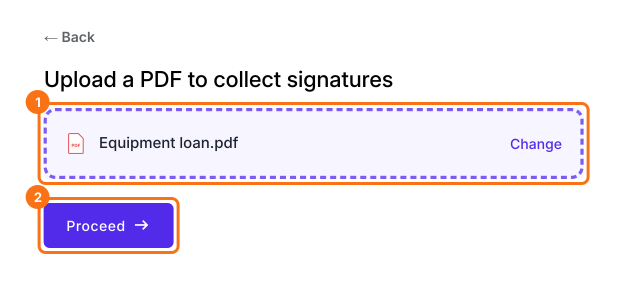
Click Upload a PDF, add your equipment loan form and click Proceed. Your PDF can have up to 6 pages.
2. Choose how it signs
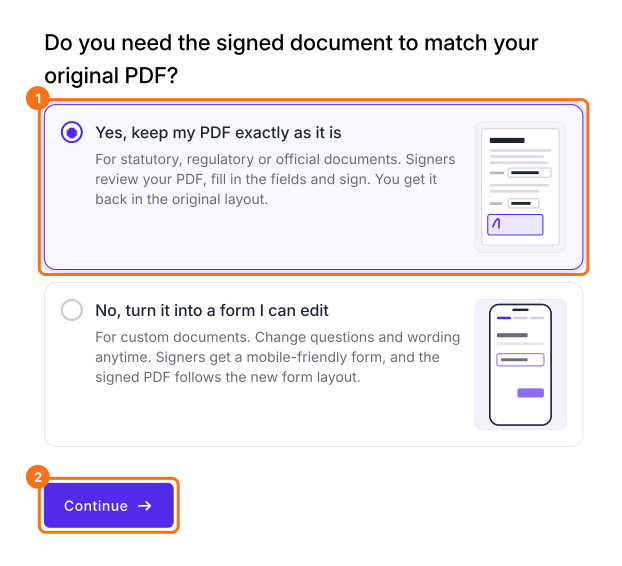
Choose Yes, keep my PDF exactly as it is and click Continue. To change the questions and wording instead, choose No, turn it into a form I can edit and click Continue, then click Edit form on Your signing link is ready and go to the last step.
3. Check the boxes on your PDF
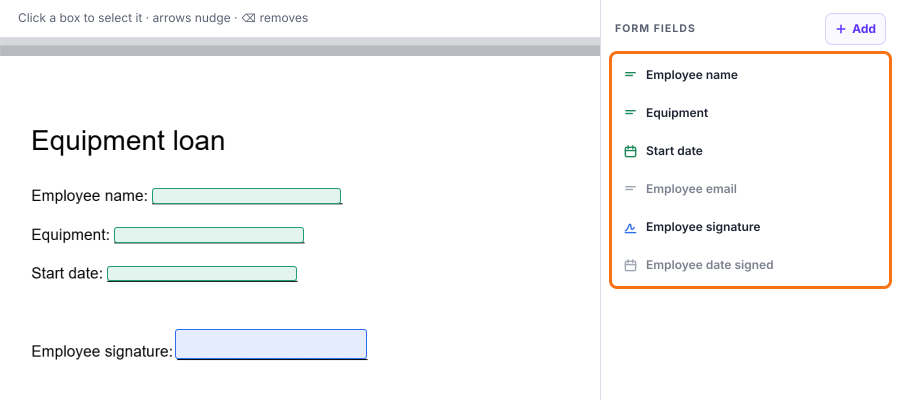
Formesign puts a box on each blank. Compare the boxes with your PDF. If it missed one, click + Add, then click where the answer goes or drag to draw its box. Click Proceed.
4. Create a link for your staff
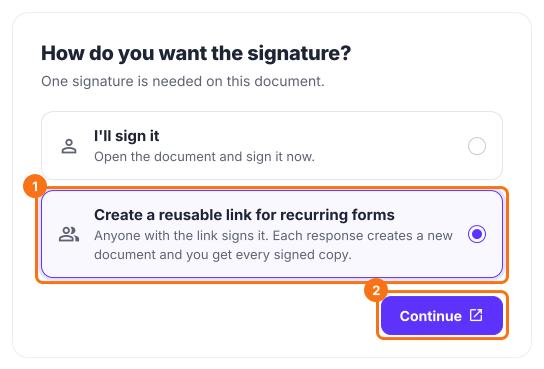
Under How do you want the signature?, select Create a reusable link for recurring forms and click Continue. Then click View signed documents.
5. Send it to your staff
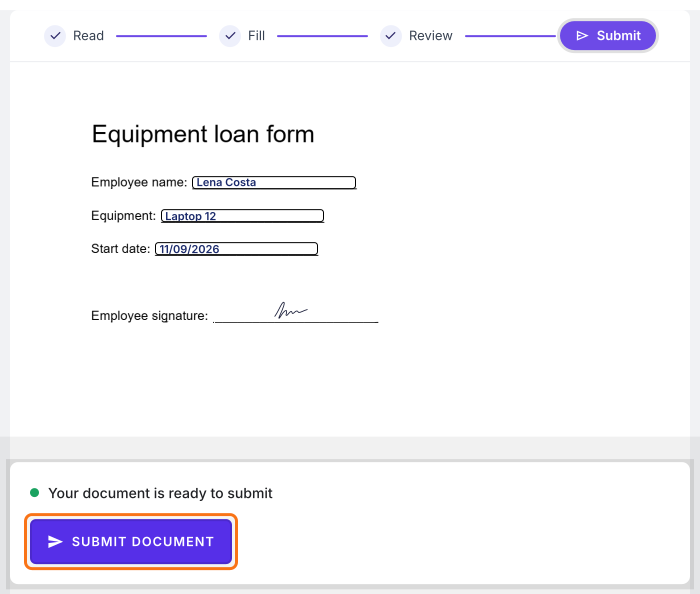
Open SHARE, click Copy on the Link tab and send the link to your staff. Each person who opens it reads the PDF, clicks PROCEED, fills in the fields and their email, signs and clicks SUBMIT DOCUMENT. You get every signed copy.
Summary
When people have to fill in and sign a PDF, emailing it means printing and scanning and retyping it into a form takes hours. With Formesign, you upload your PDF, it finds the fields for you and people fill it in and sign it on their phone. Create your form and complete the steps above.
Last updated: