How can two people sign on one device?
"Our Parents and Athletes Signatures are required to sign waivers"- Google Docs Editors Community
This is a common need for sports teams, and 608 people on Google's forum have asked about it. If you run sign-ups for a team in Google Forms, each athlete and a parent have to sign a waiver before the season starts. A tick box isn't a signature, and printing, signing and scanning means chasing paper from every family.
In this article, we will show you how to add a signature field for each person, so that both sign on the same phone or tablet.
1. Import your waiver
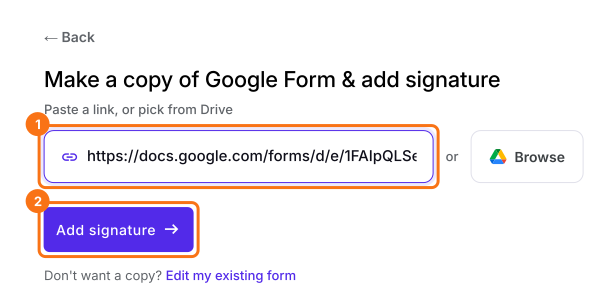
Click Import Google Form, paste your waiver's link and click Add signature. Type Athlete as the signer, click Next, then open the EDIT tab.
2. Add a second signature field
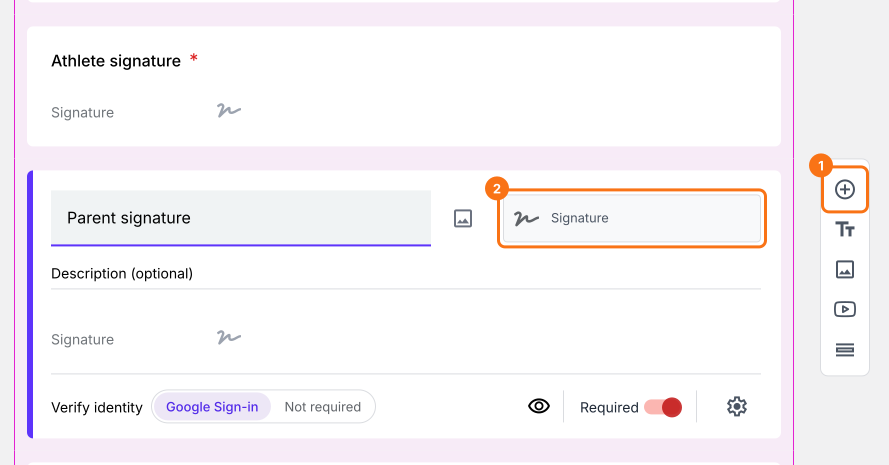
Click Expand workflow on the signer's block, click the signature field, then the + button on the toolbar. Name the new question Parent signature and change its answer type to Signature.
3. Turn off sign-in
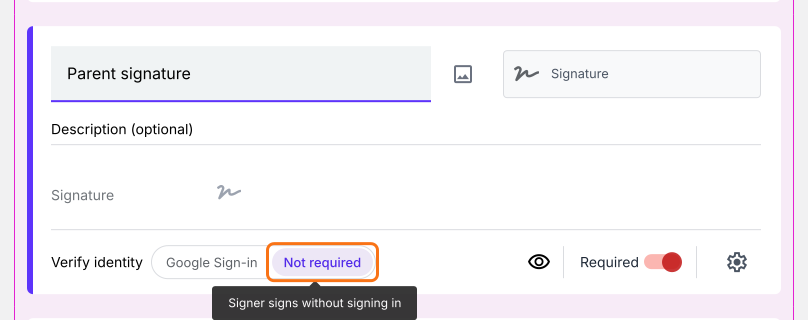
Click each signature field, and under Verify identity click Not required. Now both people can draw straight away.
4. Sign together
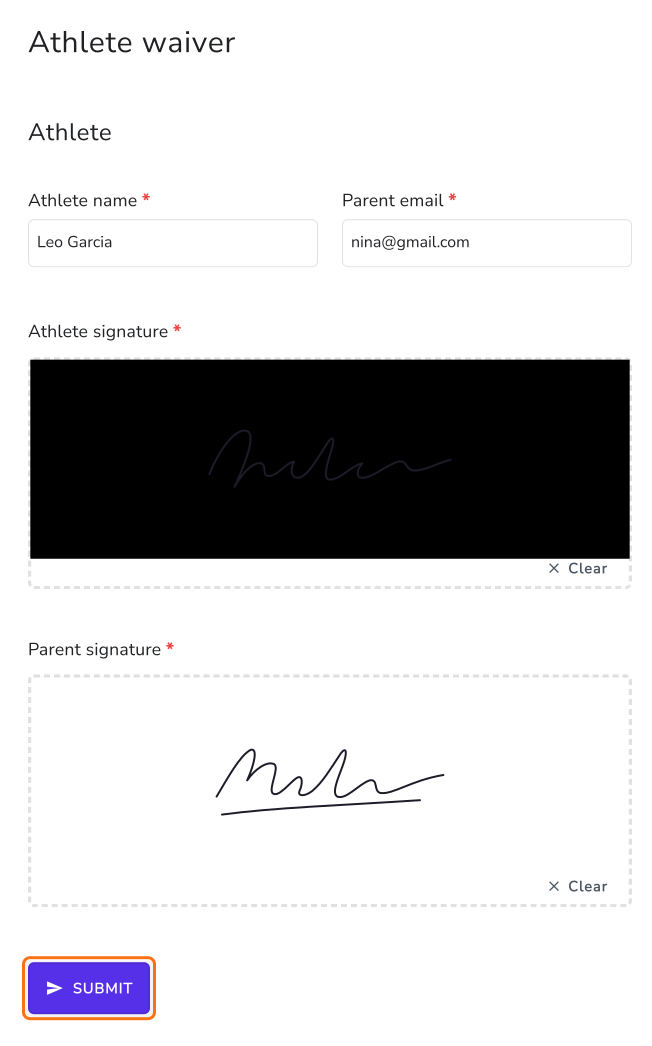
Open the form on one phone or tablet. The athlete draws in their box and hands it over, the parent draws in theirs, and one of them clicks SUBMIT.
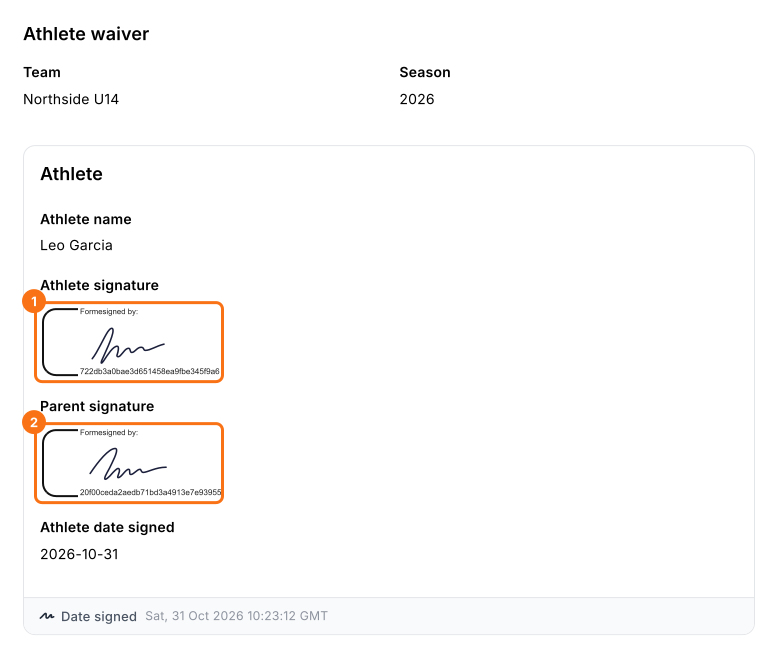
5. Both signatures are on the signed PDF
Open SIGNED PDF and click the card. The PDF shows both signatures.
Summary
If each athlete and a parent have to sign a waiver before the season, a tick box isn't enough, and printing and scanning means chasing paper from every family. With Formesign, you add a signature field for each person, both sign on the same phone or tablet, and you get one signed PDF.
Last updated: