How to send one signing link to everyone?
"instead of having to send them manually, one by one"- Google Docs Editors Community
This is a common wish from anyone who sends the same contract to every client. If you're a life coach, each new client has to sign a contract before their first session, and your booking system already sends a confirmation email on its own. But a Google eSignature request goes to the people you name, so you send each contract by hand.
In this article, we will show you how to put one link in your booking email, so that each client signs their own copy of your contract.
1. Turn your contract into a signing form
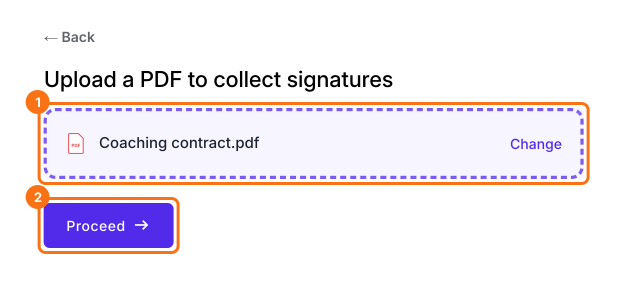
Click Upload a PDF, add your coaching contract and click Proceed. Choose Yes, keep my PDF exactly as it is, click Continue and check the boxes Formesign places.
2. Copy your signing link
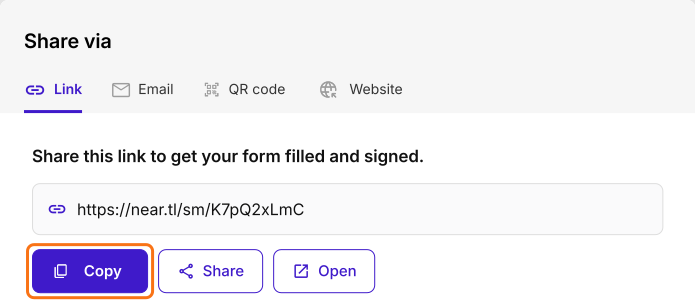
Open SHARE and click Copy on the Link tab. If your clients may not have a Google account, first set Verify identity to Not required on the signature field.
3. Put it in your booking confirmation email
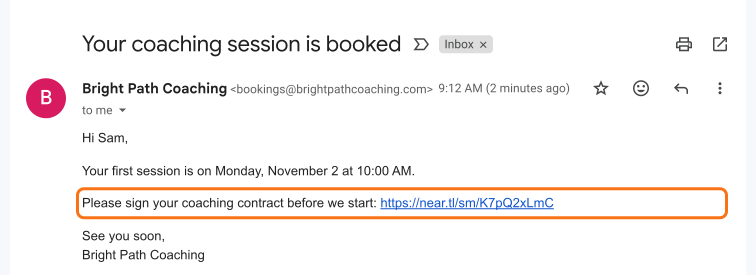
Paste the link in the confirmation email your booking system sends. You only do this once, and every new booking carries it.
4. Each client signs their own copy
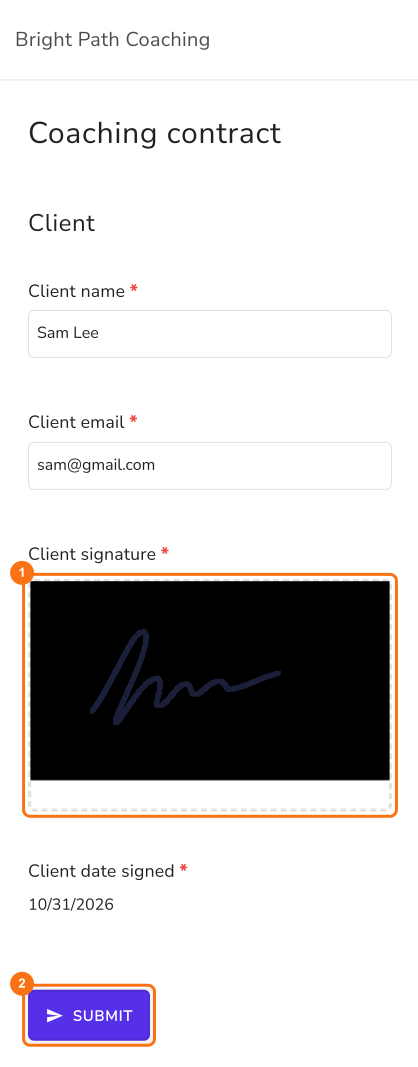
Each client who opens the link starts a new response. They fill it in, sign and click SUBMIT.
5. Find every signed contract
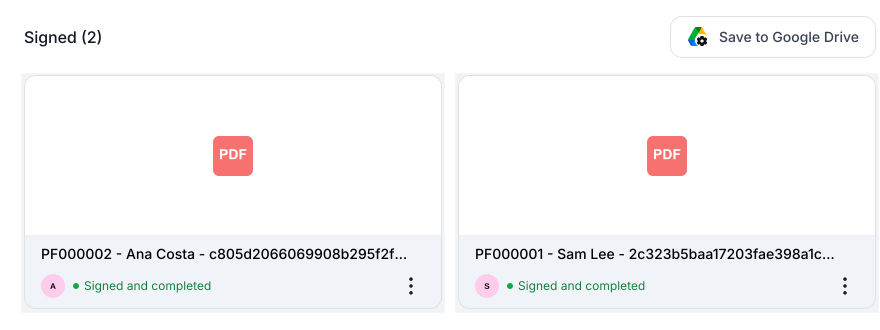
Each signed contract gets its own card in the SIGNED PDF tab, with the client's name.
Summary
If every new client has to sign your contract, sending each one by hand doesn't fit a booking system that already emails them. With Formesign, you put one link in your booking email, each client signs their own copy, and every signed contract is in one place.
Last updated: