How to send safety forms on a schedule?
"Can a Daily check sheet be created which can be opened every day"- Google Docs Editors Community
Before each shift, every worker on your site has to fill in a safety check sheet. A shared sheet has to be cleared and reset each morning, a paper list is easy to forget, and Google Forms can't send itself on a schedule, so you ask people one by one and still can't be sure who did it. Formesign emails each worker a fresh check sheet at the time you choose, every day, and you can pause a worker's schedule when the site shuts for a week.
Let's start. Create your form in Google Forms, then import it and follow the steps below.
1. Open Schedule emails
- Publish your Google Form first or make one at form.new with your questions and click Publish.
- If the import page is not open yet, click Import Google Form. Paste its link (the form's address in your browser works) and click Add workflow.
- Under To be signed by, box 1 already has a guess, so select it and type Worker. Click Next.
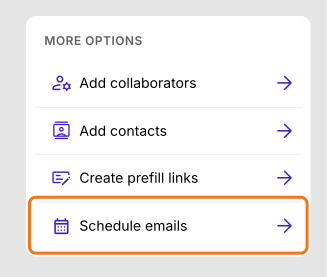
- Click SHARE and click Schedule emails under More options.
2. Start a schedule
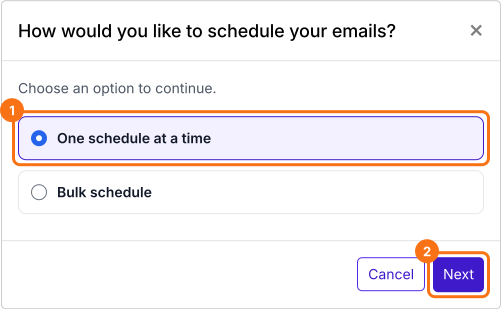
Click Schedule, choose One schedule at a time and click Next. You make one schedule for each worker.
3. Pick the worker and the time
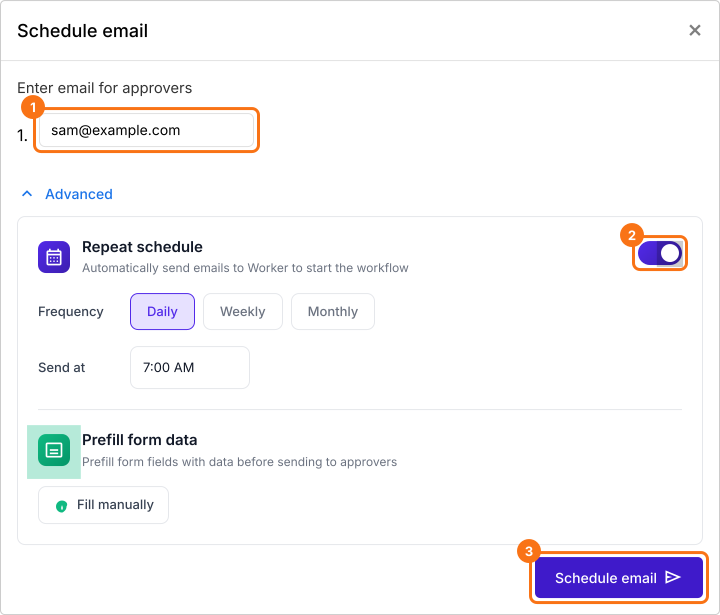
Type the worker's email, click Advanced and switch on Repeat schedule, which needs a paid plan. Choose Daily, pick a time under Send at and click Schedule email.
4. Check your schedules
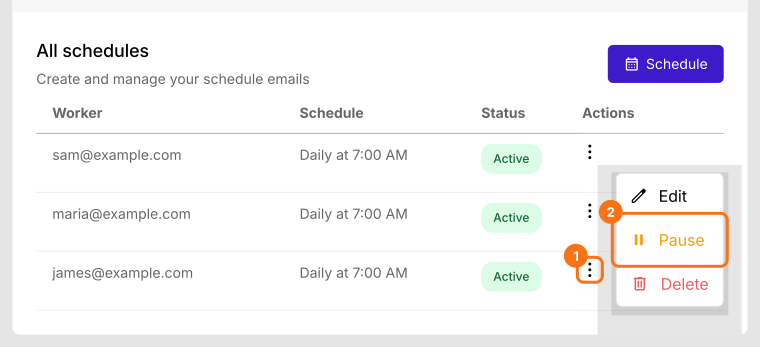
Each one shows under All schedules with its time. Click the three dots to Edit or Pause it, such as when the site shuts for a week.
5. The worker gets it before the shift
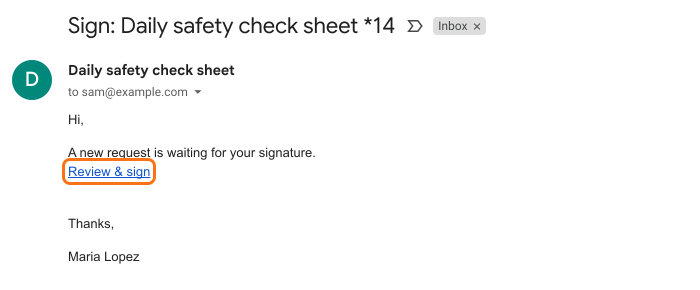
At that time the worker gets this email and taps Review & sign. They fill in a fresh check sheet on site and sign it.
Summary
When a form has to be filled in again every day, resetting a shared sheet and reminding people by hand takes your time and leaves gaps. With Formesign, each person gets a fresh copy by email on the schedule you set, with nothing to clear or reset. Create your form in Google Forms, then import it and complete the steps above.
Last updated: