How to give each signer their own section?
"Google form to be completed by several people"- Google Docs Editors Community
This is a common need when one form has to pass through more than one person. If you run cricket player registration in Google Forms, each player fills in their details, then the team manager has to add the team and sign before the season starts. A Google Form takes one person's answers at a time, so you end up forwarding them by email or copying them into a second form.
In this article, we will show you how to give the player and the team manager their own part of one form, so that each signs only theirs.
1. Add a signer for each person
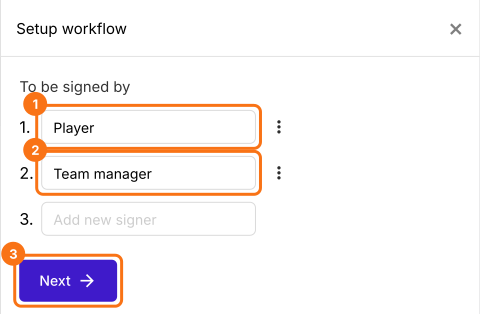
Click Import Google Form, paste your registration form's link and click Add workflow. Under To be signed by, type Player and Team manager, then click Next.
2. Open the team manager's block
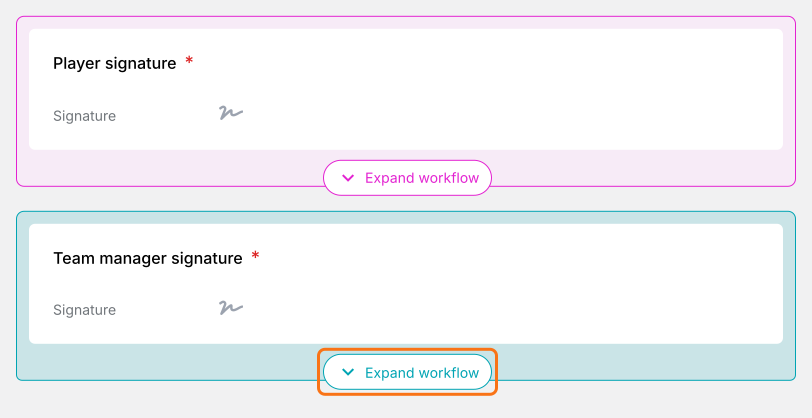
In the EDIT tab, each signer has a colored block. Click Expand workflow on the team manager's.
3. Add their questions
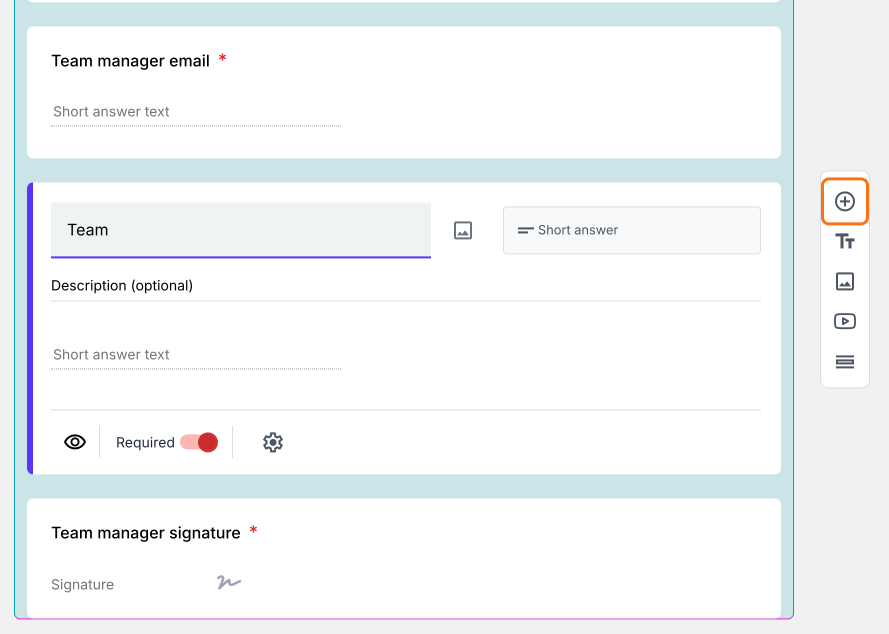
Click a field in the block, then the + button on the toolbar at the right. Type the question, such as Team.
4. Each person fills only their part
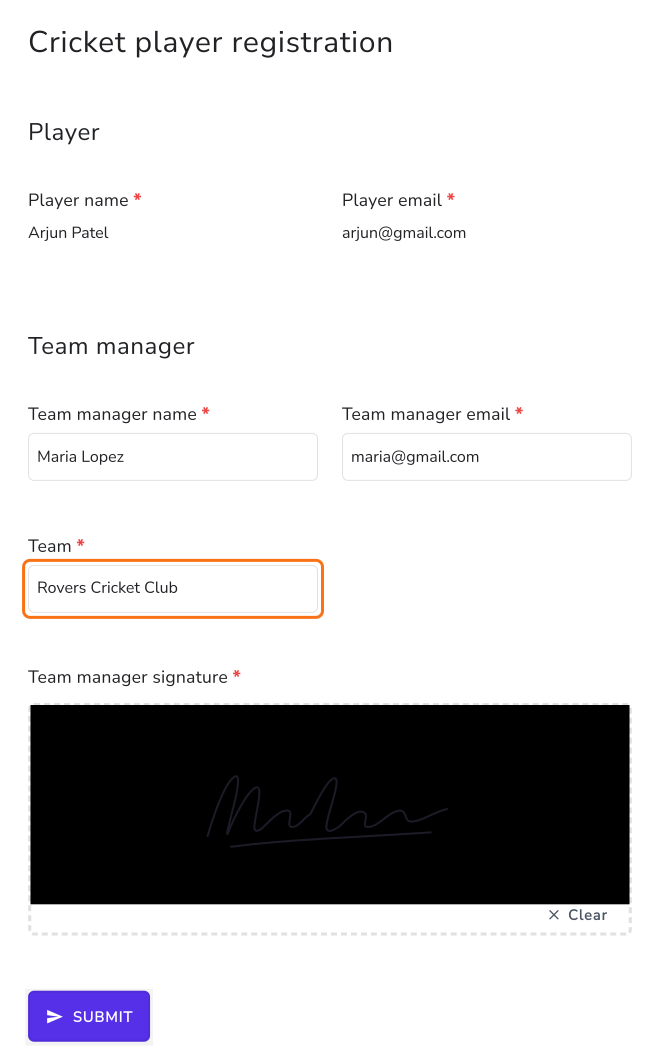
The team manager clicks Review & sign in their email and reads the player's answers, which they can't change. They type the team, sign and click SUBMIT.
Summary
If a player's registration also needs the team manager's details and signature, forwarding answers or keeping a second form means retyping and chasing. With Formesign, one form has a part for each person. The player fills in theirs and signs, the team manager adds the rest, and you get one signed PDF.
Last updated: