"I take signatures on consent from client on paper"- Quora
You take consent on paper and want to move it online. For example, you see clients for treatment and each one has to sign your consent form before their first session, but paper gets lost or comes back unsigned. Google Forms has no signature question and a checkbox is not a signature on a consent form. Retyping your wording into a form also risks changing what you had approved. The Formesign - Signature for Google Docs addon turns the consent form you already have in Google Docs into a page that each client reads and signs online, with your wording unchanged. You can keep a signed PDF of each one in your Google Drive folder.
Below is how to build a consent form in Google Forms, where it falls short, and how to use the consent form you already have with Formesign.
What are consent forms used for?
Consent forms are widely used in healthcare, education, research, sports, business, events and various other industries to obtain authorization from individuals to collect contact details, provide information about the service or activity and outline associated risks and terms. Common use cases include acknowledgment forms, travel consent, liability waivers and media release forms.
Create a google form
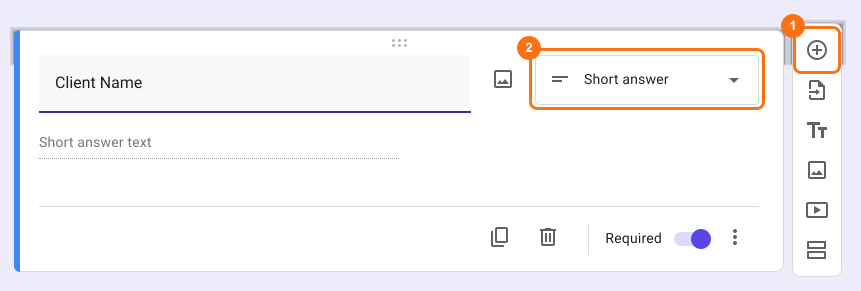
You can use the + Add Question option to add fields to your form and collect the necessary details from your users. You can choose the Short Answer and Paragraph question types to collect open-ended text input and the Multiple Choice and Dropdown question types to provide a pre-defined list of answer choices.
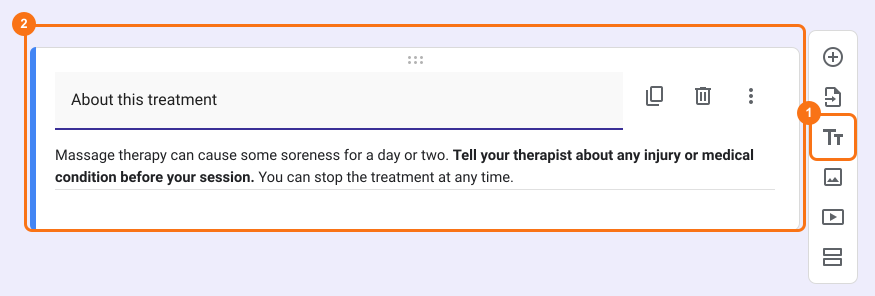
You can use the TTTitle and Description option in Google Forms to add details about the service or activity and to outline associated risks and terms. This feature allows you to format text with bold, italics, underline and lists for better readability.
You can add a Checkboxes question with a clear title and "I consent" as the answer choice. Mark this question as required to ensure users cannot submit the form without providing their consent.
Limitations with using google forms:
Google Forms does not have versioning or audit logs, making it difficult to ensure a comprehensive record of changes and submissions. As a result, consent details and information cannot be preserved in the way some industries or legal requirements may demand.
Google Forms offers basic customization options, but you may not be able to create highly tailored workflows or dynamic content based on user responses, limiting its flexibility for more complex use cases.
While Google Forms is widely used and can be legally binding if the checkboxes are set up properly, the legal validity depends on the jurisdiction.
Show consent page using Formesign - Signature for Google Docs addon
You can use the Formesign - Signature for Google Docs addon to display a consent screen before the user submits the form and automatically record the user's consent by generating a PDF document with form responses and consent. If your consent form is a PDF, upload it here and pick up from reviewing the fields.
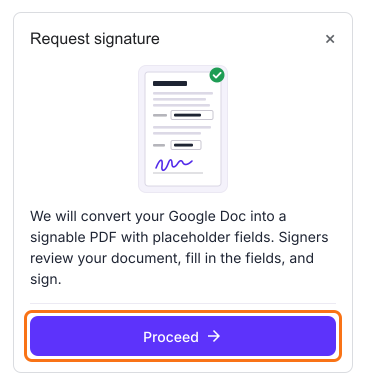
The first time, install the Formesign - Signature for Google Docs addon. You can use the Google Docs formatting options to customize the template before you click Request signature. Open the google docs with your consent form > click Extensions > click Formesign - Signature for Google Docs > click Request signature > click Proceed. Formesign generates a consent page from the selected document and creates a new form from it, so you don't need a google form.
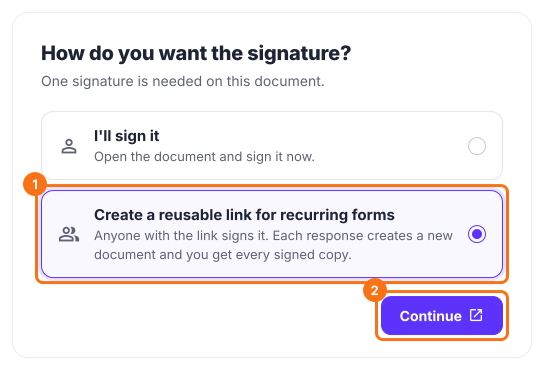
Review the fields on your document and click Proceed > under How do you want the signature?, select "Create a reusable link for recurring forms" and click Continue > click View signed documents to see each signed copy.
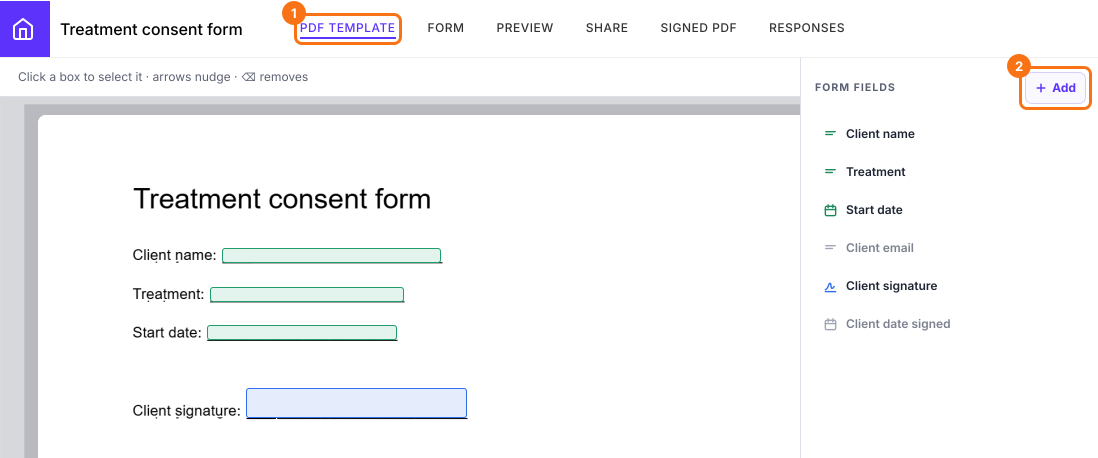
Edit Template: Click PDF Template > in the Form fields side panel, you can click on + Add, then click where the answer goes or drag to draw its box, to add a missing field in the document. The added fields will be shown on the document.
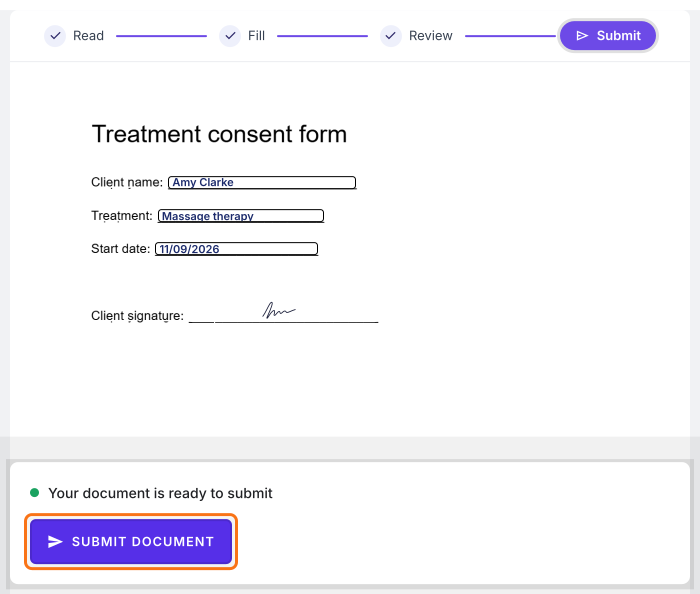
When the user fills the form and clicks on the Next button, Formesign automatically generates a consent screen based on your document and displays it. Users will have to click on Proceed and then the Submit document button to submit their response.
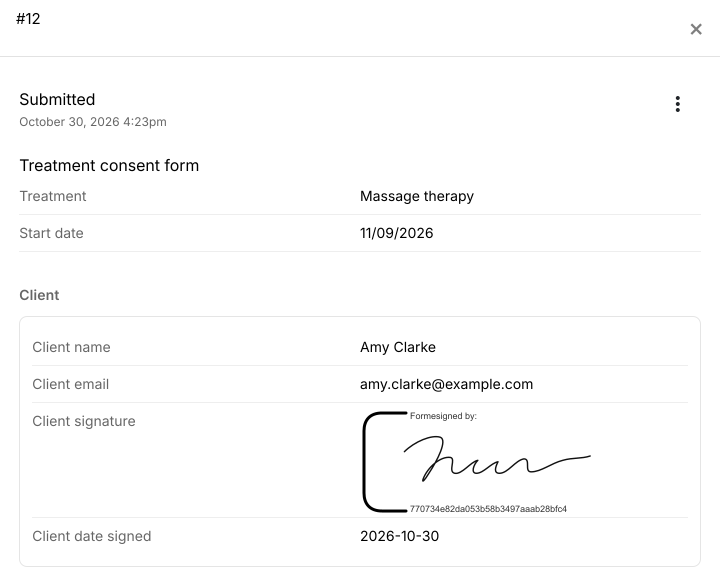
You can view the submitted responses and the signed PDF document in the Formesign Responses and the Formesign Signed PDF page. You can also set up your form to sync the PDF documents to your google drive folder and send them as an attachment via email.
Summary
Paper consent forms get lost and a checkbox in a Google Form is not a signature. With Formesign, you turn your consent form in google docs into a consent page, each person signs your exact wording online and you can sync the signed copy to your google drive folder. Open the google docs with your consent form or upload it as a PDF and complete the steps above. If you have any questions, write to support.