How to see who hasn't signed yet?
"User submit check request. User A approve request. User B approve request."- Google Docs Editors Community
This is a common setup, and 76 people on Google's forum have asked about it. If you send each check request through two approvers, one after the other, the checks still have to go out this week. When a request stalls, nothing shows whose turn it is. So you email the first approver, then the second, and ask again the next day.
In this article, we will show you how to see who has signed each check request and whose turn it is, so that you only remind that person.
1. Add your approvers
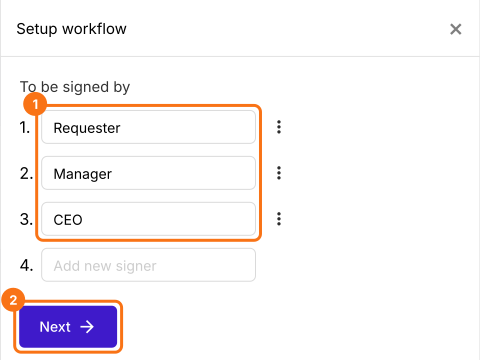
Click Import Google Form, paste your check request's link and click Add workflow. Under To be signed by, type Requester, Manager and CEO, then click Next.
2. Open the SIGNED PDF tab
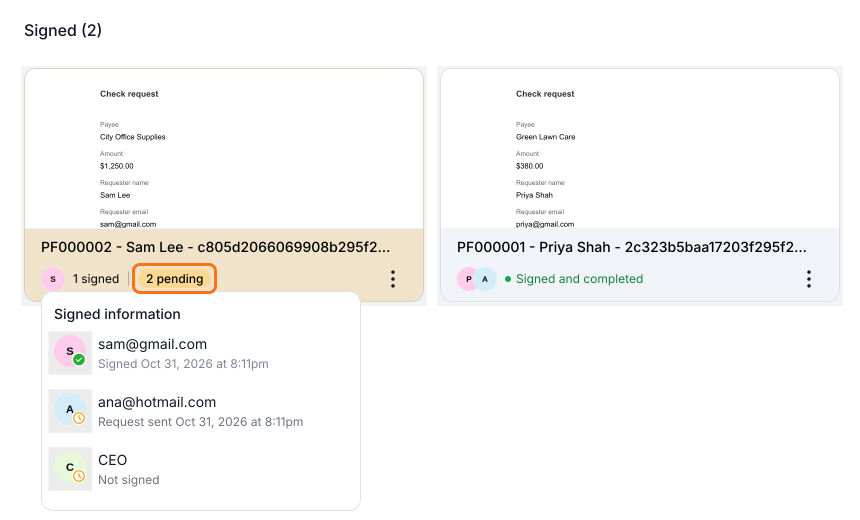
Click SIGNED PDF. Each card is one check request, and an orange card is still waiting, so point to its 2 pending to see who hasn't signed.
3. Open Activity on the card
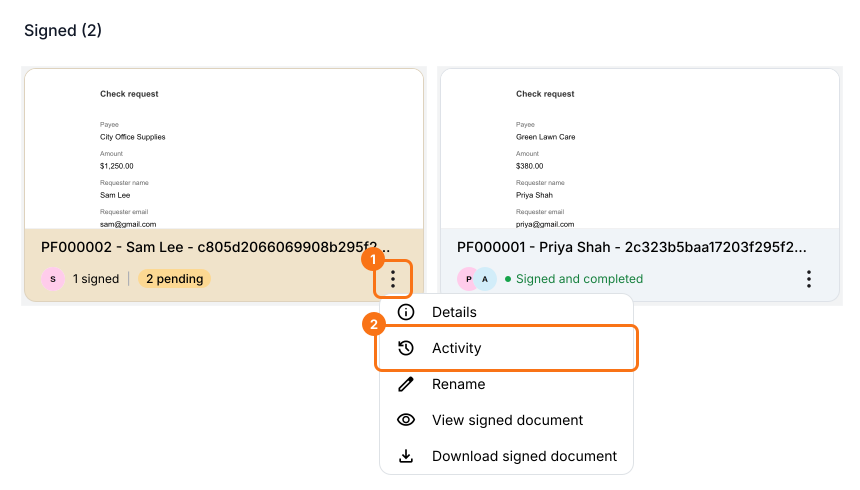
Click the three dots on Sam's card and choose Activity.
4. See whose turn it is
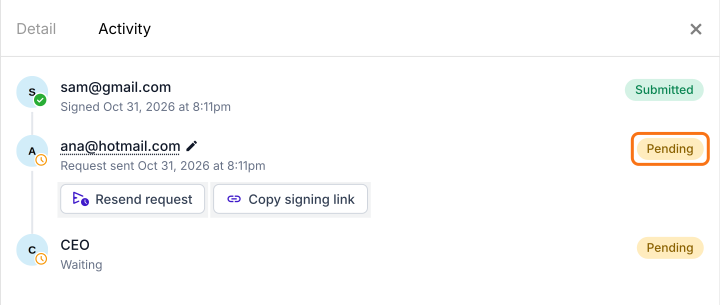
Request sent with Pending means it's that person's turn. Here, Sam's check request is waiting on Ana, and the CEO signs after her.
5. Remind that person
Click Resend request to email Ana again, or Copy signing link to send it to her another way.

Summary
If each check request goes through two approvers and has to go out this week, Google Forms can't tell you whose turn it is, so you end up asking everyone. With Formesign, the SIGNED PDF tab shows who has signed and who it's waiting on, and you can remind only that person.
Last updated: